

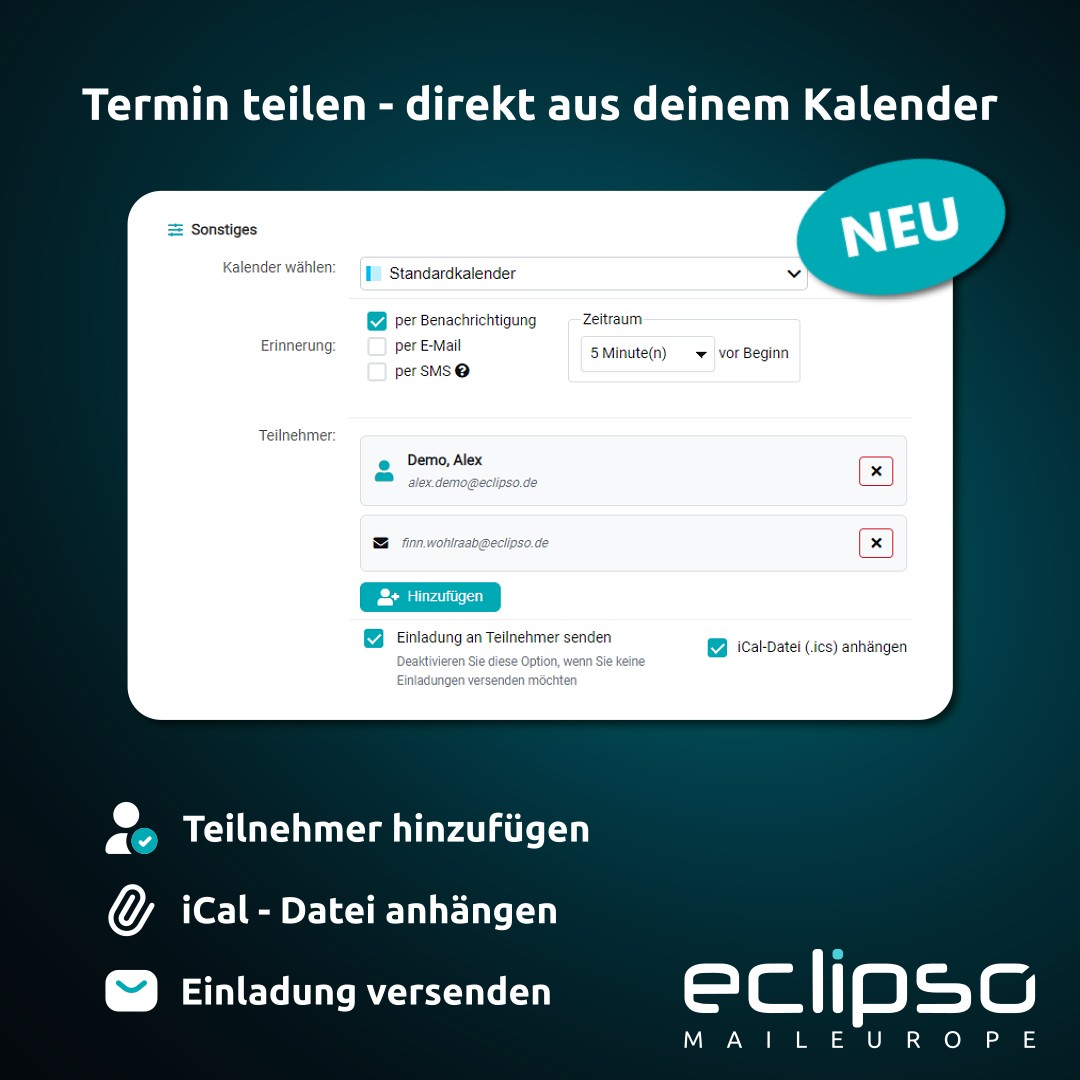
New in the eclipso calendar: Invite attendees directly to an event and avoid entering the date, time and location manually for every recipient. Invited people receive the event details by email and can open the standardized iCalendar file in the .ics format in their own calendar application and import it if needed. Attendees can be selected conveniently from the address book or added using an email address.
This means that the date, time and location do not have to be entered manually by every recipient. The invitation contains the event details as a calendar file that can be opened and imported into many common calendar applications if desired.
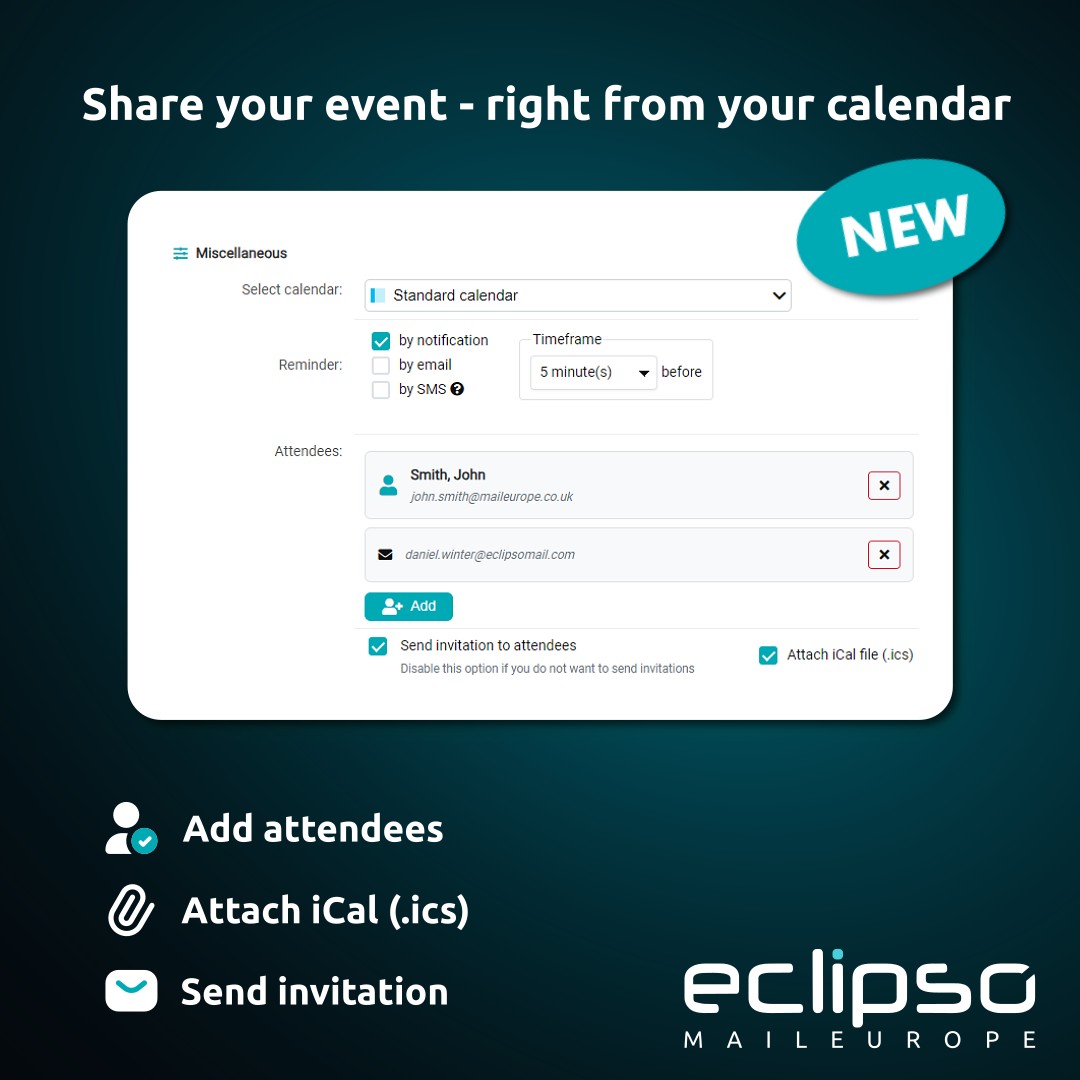
- Select attendees from the address book
- Add external or new contacts by email address
- Attach an iCalendar file in the .ics format by default
- Send the invitation by email
- Review the sent invitation in the Sent folder
Why a calendar file is useful
When arranging an event, the same details are often shared several times: subject, date, start and end time, location and description. Even a small transcription error can put an event at the wrong time in someone’s calendar. An iCalendar file combines these details in a standardized format.
Recipients still receive the invitation as an email. In addition, the event is available as a calendar attachment and can be opened or imported into a compatible calendar application. This is useful for meetings, events and private appointments with several participants.
Add attendees from the address book
For people you contact regularly, selecting an address book entry is convenient. In the event form, open the Attendees section, select the required contact and add it to the attendee list.
This avoids entering contact details again. Several address book contacts can be used together with additional attendees in the same event.
Add attendees by email address
Not every attendee needs to be saved as a contact first. Use Add attendees without an address book entry to add a complete email address directly to the attendee list.
This is useful when inviting a customer, business partner or external guest for a single event. No additional address book entry is required.
The iCalendar file is attached by default
Before sending, you can review the attendee list and event details. Attach iCal file (.ics) is enabled by default when inviting attendees. The invitation is therefore sent with a calendar attachment in the iCalendar format.
The attachment contains the relevant event details. Recipients can open the file with Outlook, Apple Calendar, Google Calendar or Thunderbird, for example, and add it to their calendar. The exact import process depends on the calendar application used by the recipient.
Send the invitation and review it later
Once the attendees and event details are correct, send the message using Email to attendees. The invitation is then automatically saved in the Sent folder.
This is useful if you later need to check when an invitation was sent or which event details and attendees were included. The message remains part of the normal mail history and does not need to be documented separately.
Notify attendees about changes and cancellations
When an event changes, open it for editing and leave Notify attendees about changes enabled. After saving, the listed attendees receive an email with the subject Event updated: [event name] and the updated event details.
If an event with attendees is deleted from the calendar, eclipso automatically sends a notification before removing the event. The email has the subject Event cancelled: [event name] and informs the listed attendees about the cancellation.
A simple everyday workflow
Open the calendar and select Add date. Enter the subject, start and end time, and add a location, description, recurrence or reminder if needed. Then open the Attendees section and select contacts from the address book or enter additional email addresses manually.
Review the attendee list, leave Attach iCal file (.ics) enabled and click Email to attendees. The invited people receive the event details by email and can import the calendar attachment into the application they use.
What this changes in everyday use
The feature does not replace the calendar application used by the recipients and does not remove every decision from their side. It provides a clear, standardized handover: the event is prepared in the eclipso calendar, sent by email and provided to recipients as a calendar file.
For the person sending the invitation, the workflow remains straightforward. For recipients, the important details are available in a format supported by many calendar applications.